Problem
What made this hard
Filters had to respect permissions, source compatibility, template rules, inherited detail, and conflicting saved settings without making routine filtering feel administrative.


Platform UX · Reporting · 2025
Use one filtering model across reports, dashboards, and roles.
Problem
Filters had to respect permissions, source compatibility, template rules, inherited detail, and conflicting saved settings without making routine filtering feel administrative.
Outcome
A connected system from administrator setup and dashboard assignment to role-aware viewer filtering.
The thesis
Case-study proof
Enough context to judge the choice, inspect the work, and separate evidence from ambition.
Why this, not that
I separated reusable administrator configuration from lightweight viewer filtering instead of repeating full setup inside every report. Governance stayed with the people who own sources and mappings; everyday use stayed close to the dashboard.
Why this case is specific
The system had to reconcile Super Admin, Business Unit Admin, and viewer responsibilities with dashboard assignment, multiple data sources, per-source fields, inherited context, and permission-aware recovery.
What you can inspect
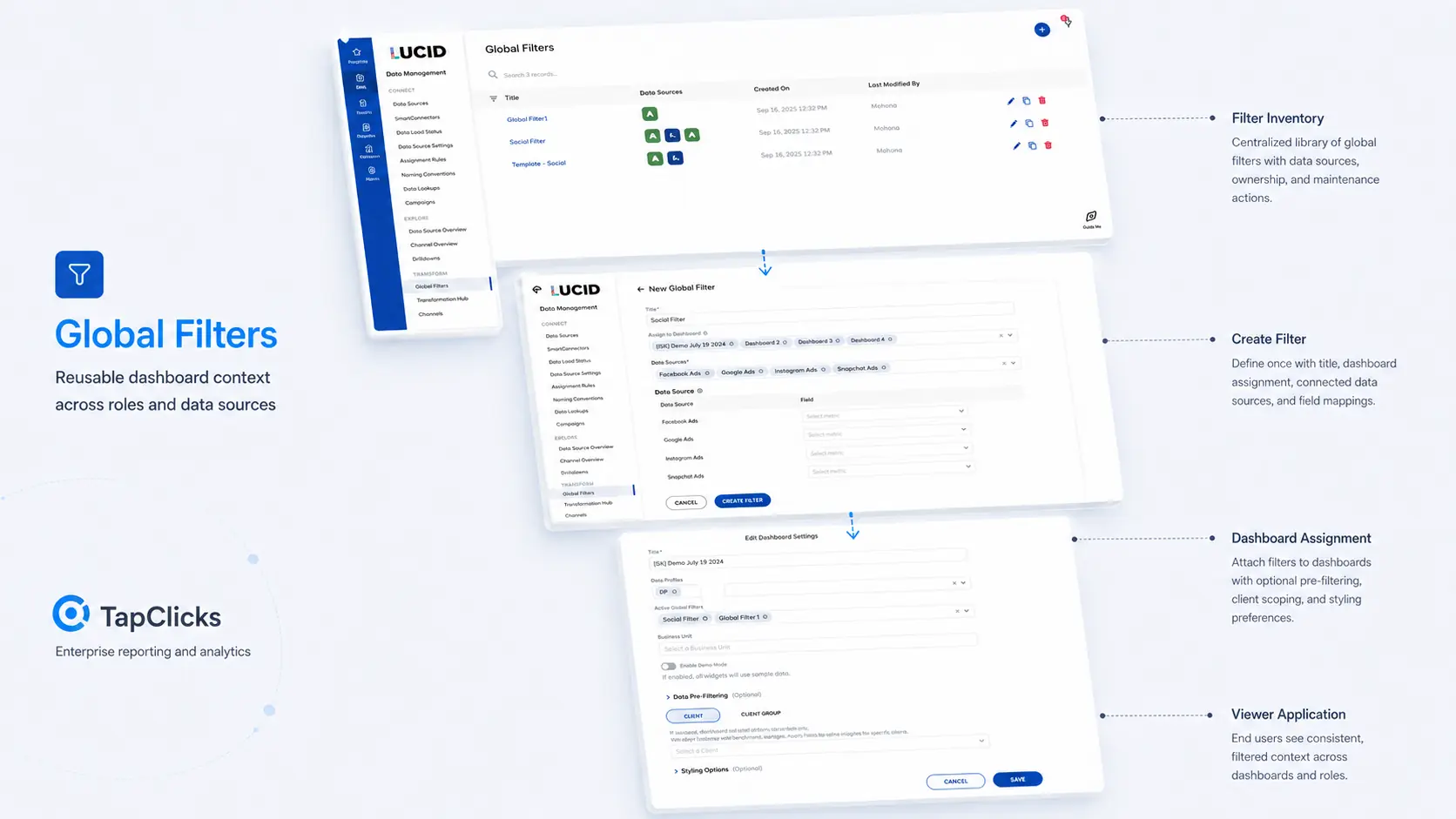
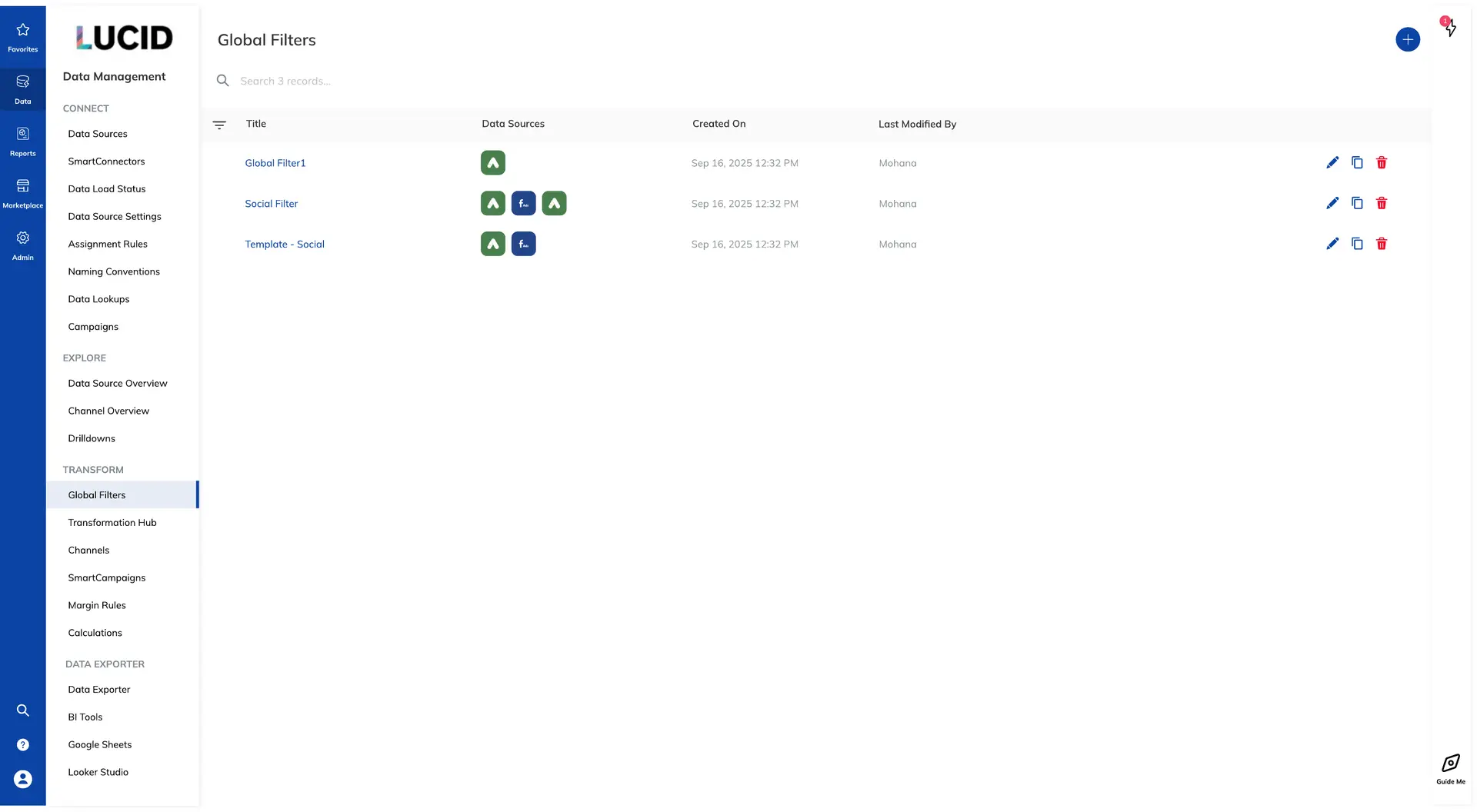
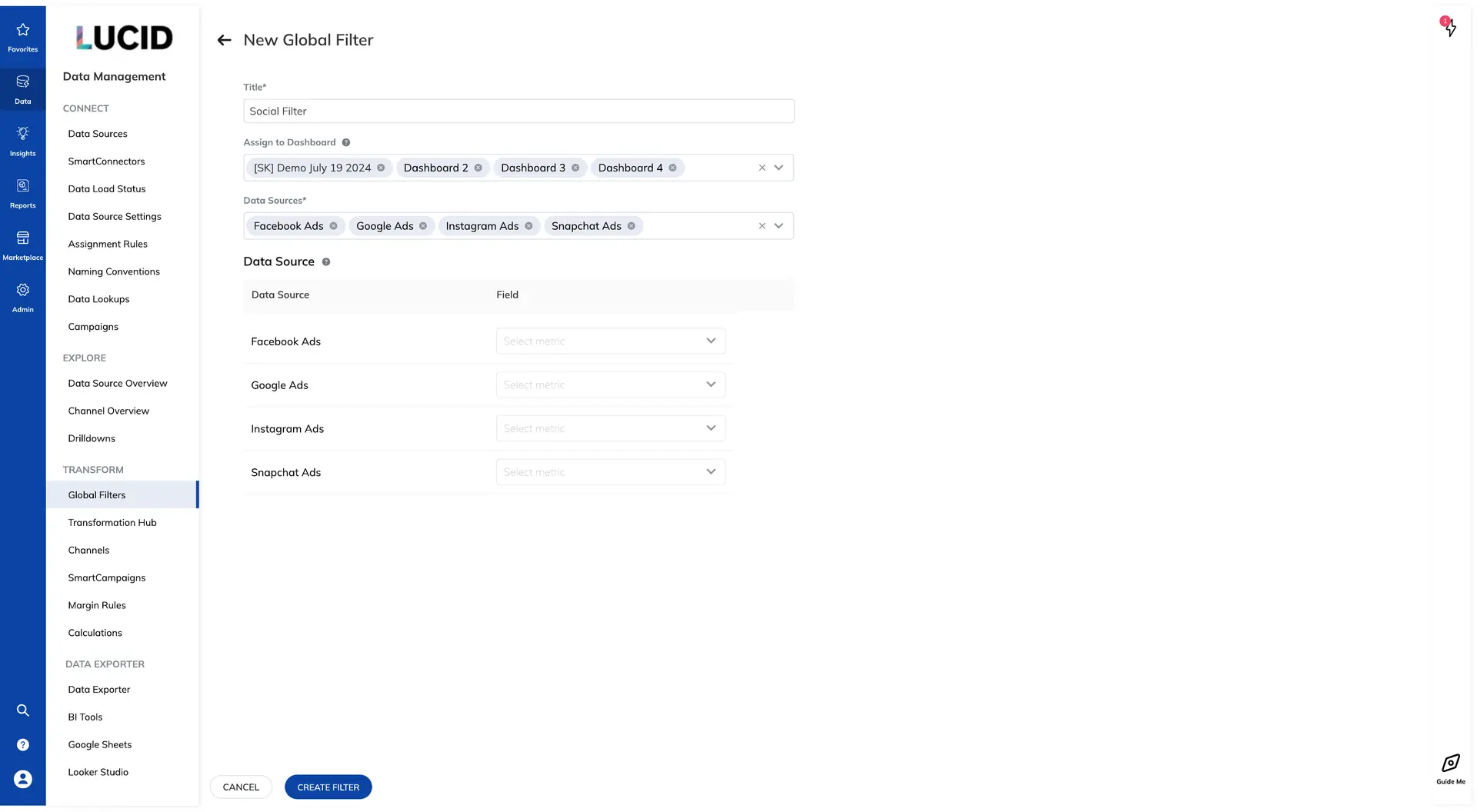
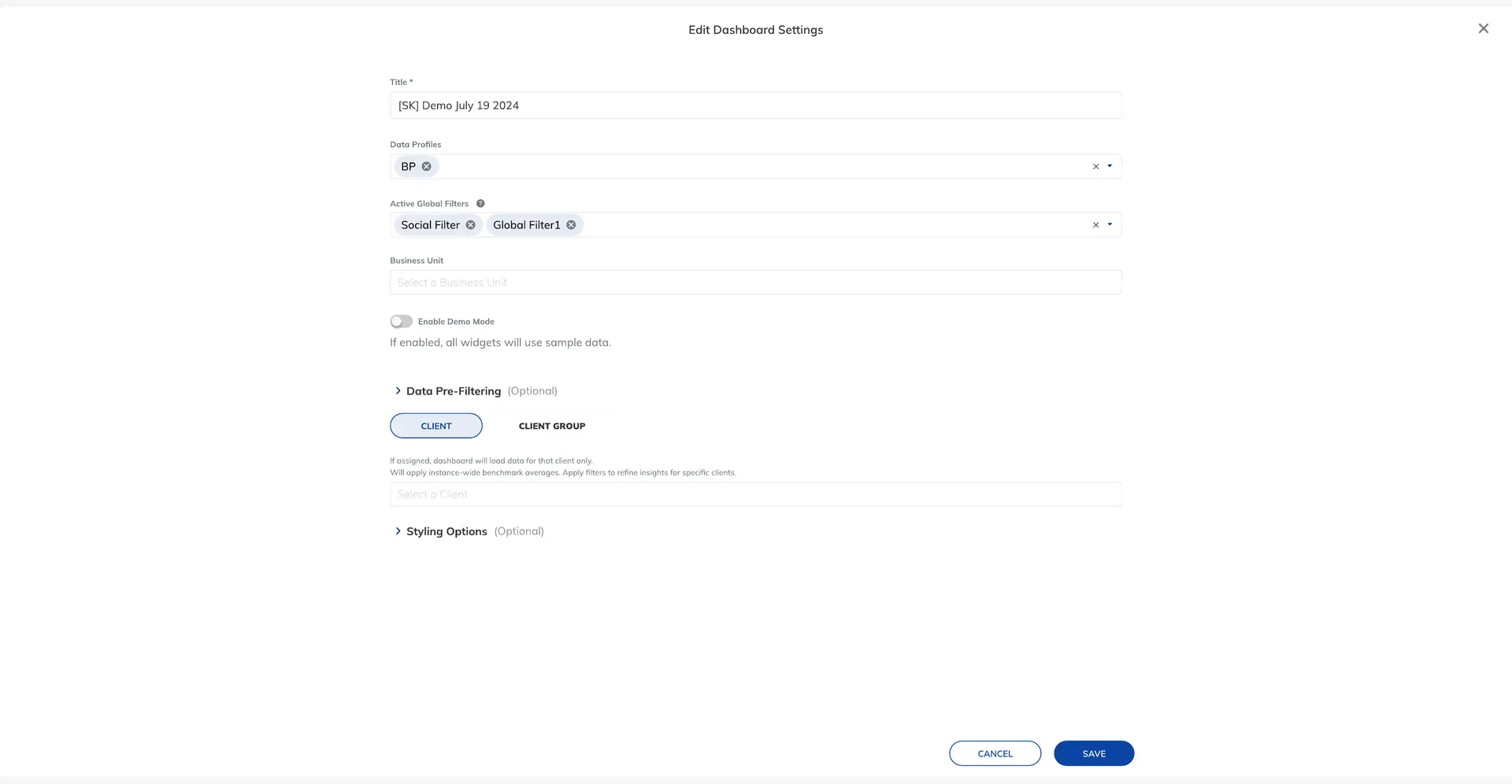
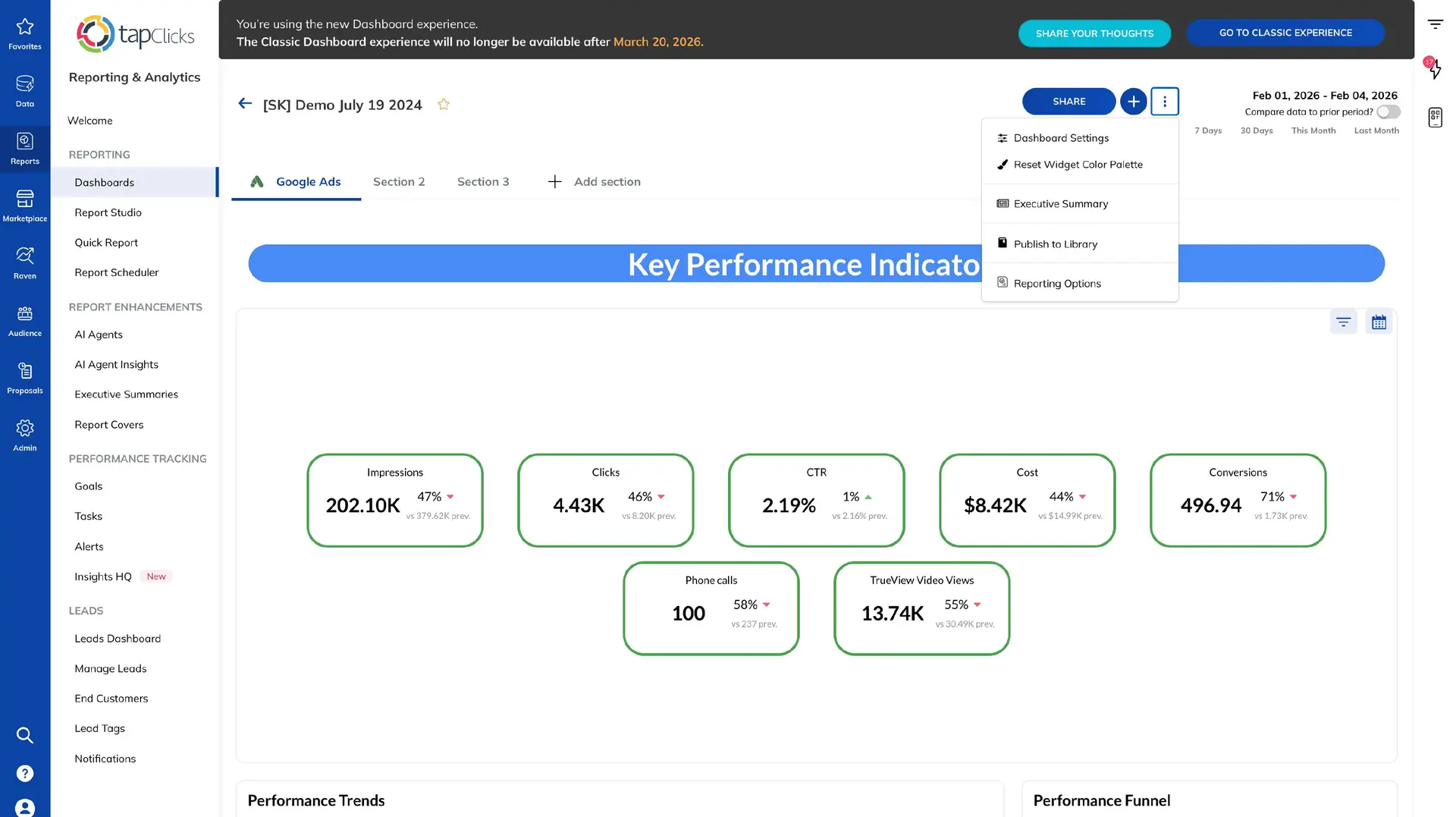
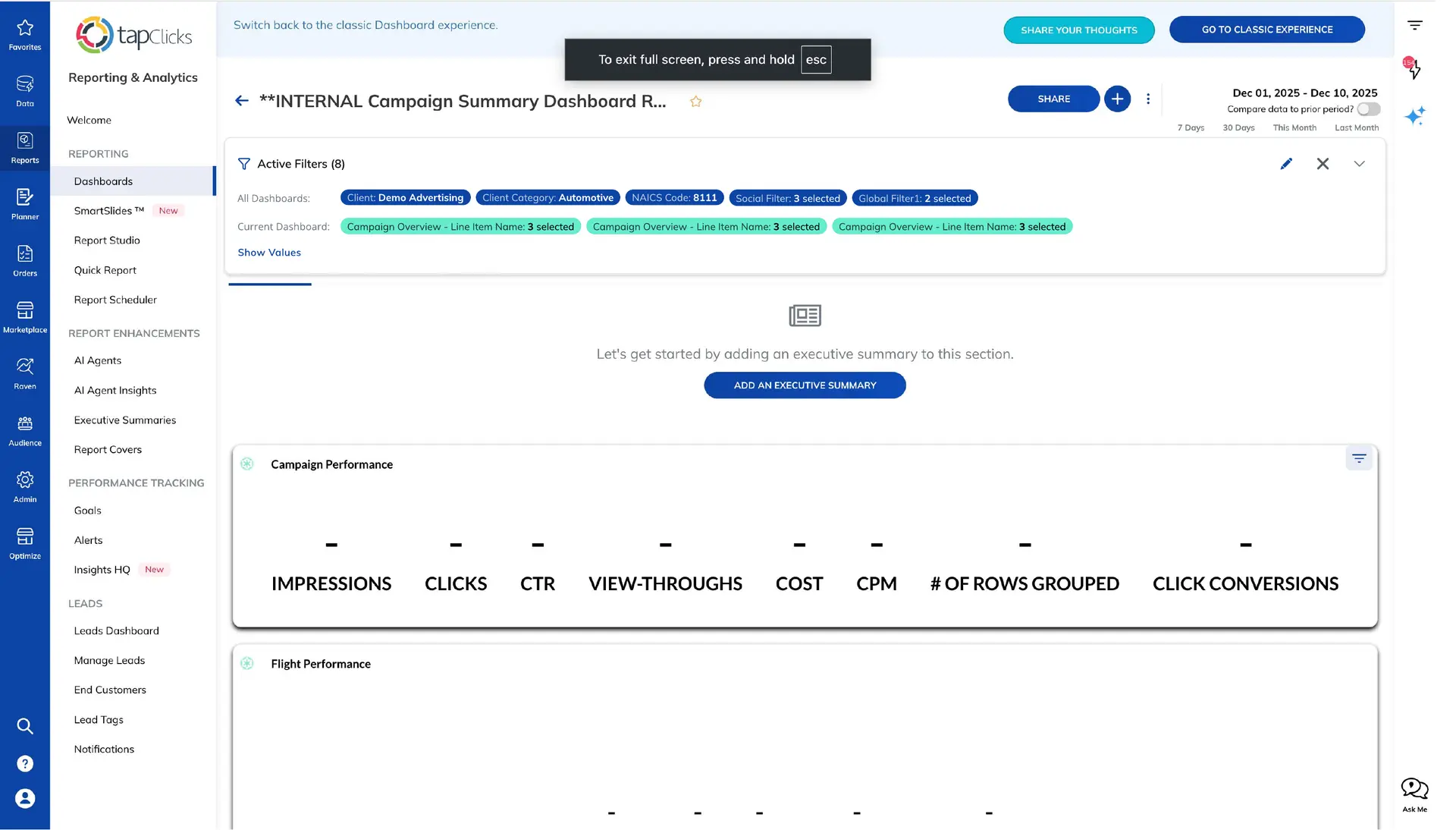
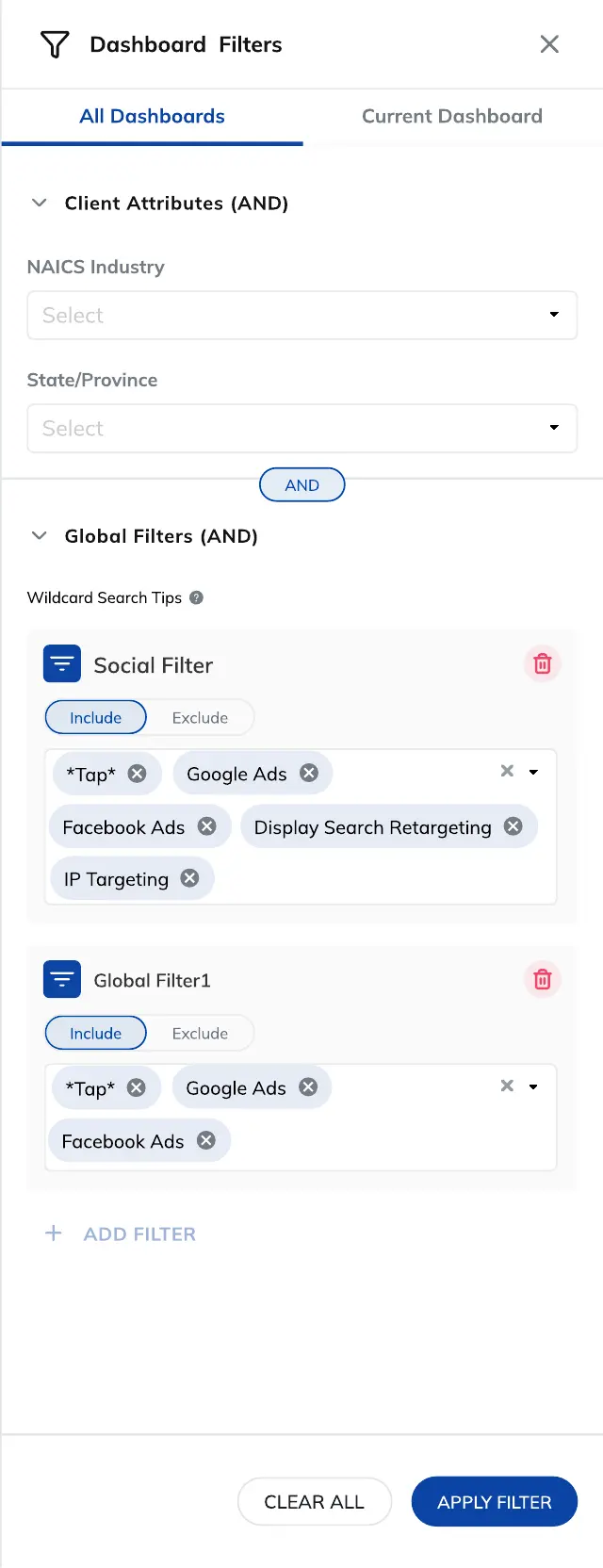
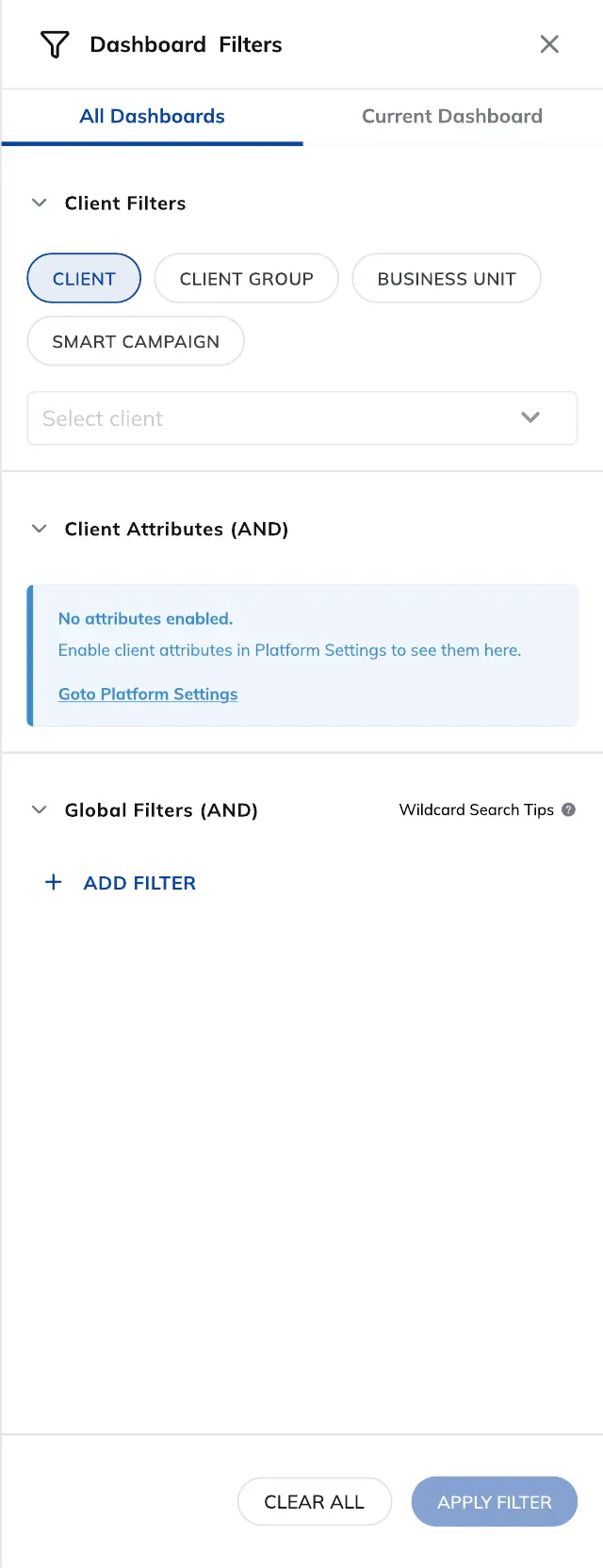
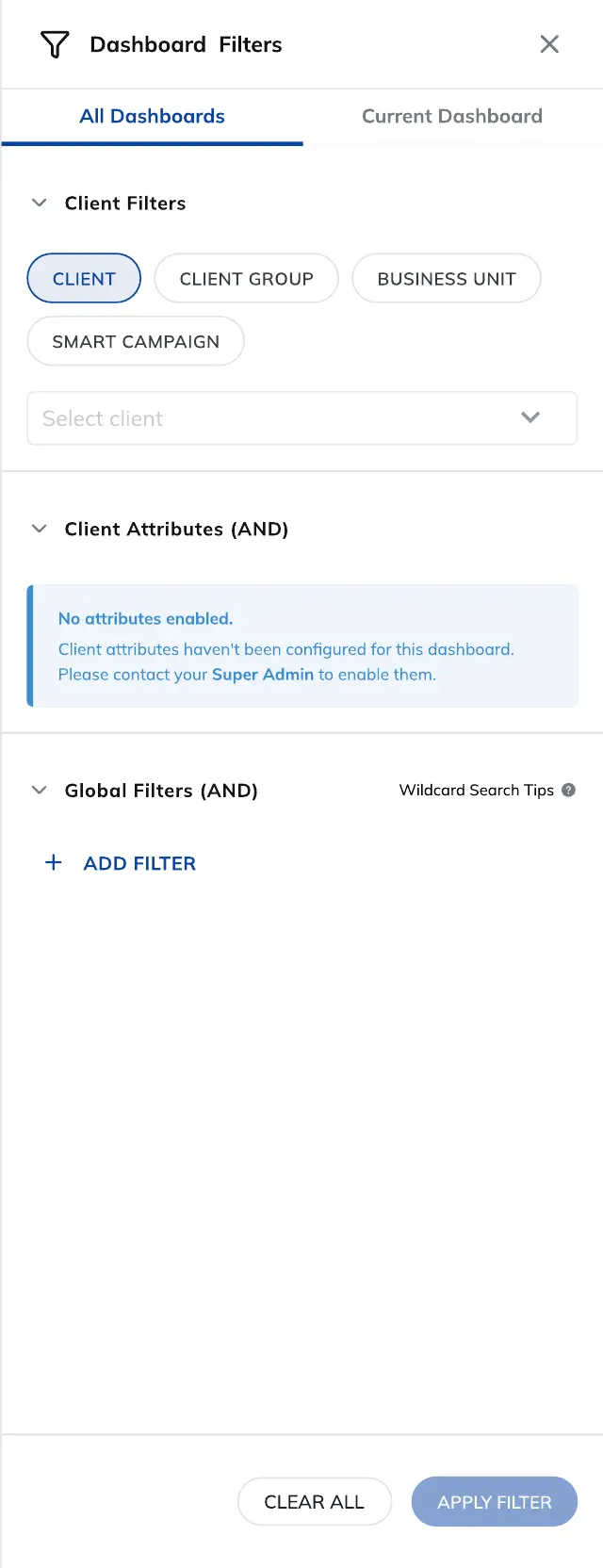
Shipped product screenshotsThe page shows the shipped chain from filter inventory and creation through dashboard assignment, viewer application, applied summaries, and role-specific empty states.
Decision to outcome
The role split shipped as one connected filtering system across setup and use. The evidence supports coverage of the workflow and permission states; it does not support an unmeasured adoption or efficiency claim.
Interface evidence
Platform Architecture · Governance & Precedence Matrix
Global Filters split administrator configuration from report viewer application, ensuring conflict resolution rules stay clear across enterprise hierarchies.
| Role | Scope & Access | Filter Creation | Precedence Level | Empty State Recovery |
|---|---|---|---|---|
| Super Admin | All Business Units & Dashboards | Global & Cross-connector filters | 1 (Highest Precedence) | Direct configuration shortcut to edit data mapping |
| BU Manager | Single Business Unit / Client Group | Unit-scoped default filters | 2 (Inherits Super Admin rules) | Explains BU boundary & contact admin shortcut |
| Report Viewer | Published Dashboards Only | Transient local filters & date ranges | 3 (Filtered within Admin bounds) | "Clear filter" action with role boundary notice |
01 / Roles
Administrators create reusable filters, choose dashboard scope, connect data sources, and map fields. Report viewers work with the published result inside the dashboard.
02 / Setup
The create flow keeps dashboard assignment, selected data sources, and field mapping together so administrators can understand what a filter will affect before saving.
03 / Application
The viewer drawer separates all-dashboard and current-dashboard context, then combines client attributes with reusable global filters, include or exclude controls, and an applied-filter summary.
04 / Permissions
The empty state gives Super Admins a direct path to configuration. Business Unit Admins see the same missing state with an explanation of the permission boundary and who can resolve it.
05 / Principle
The system exposes scope, ownership, and configuration only where they matter. Everyday filtering stays focused on choosing values and understanding what is currently applied.
Supporting evidence
Bring me the difficult part.
Complex workflows, AI trust, and enterprise systems.
Discuss a product challenge